
Product Details
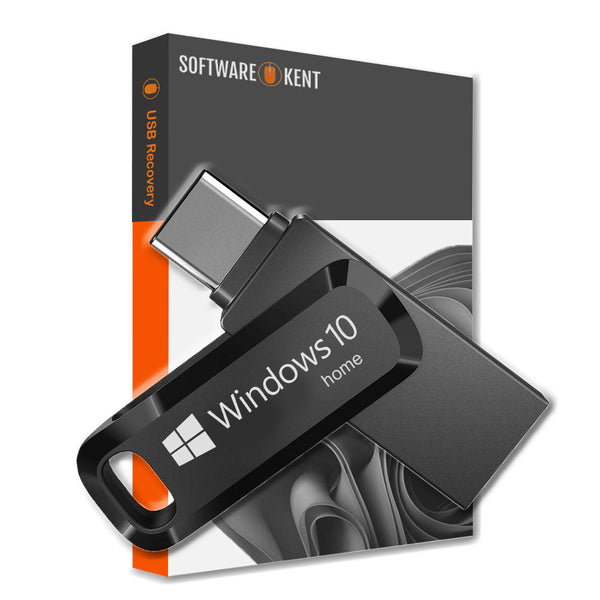
USB-C Recovery for Windows 10 Home Reinstall Fix Repair
Recovery USB-C for Windows 10 Home and Professional 32/64 Bit
- USB-C: Windows 10 Home and Professional 32/64 Bit Versions
- Manuals: Full Instructions Provided
- Reinstall, Recovery, Repair
- PC/Laptop is very slow, not loading windows or if you have a black/blue screen this is what you need.
- You can also Install Fresh Windows onto a new Hard Drive or your existing one
- Works with ASUS, ACER, DELL, TOSHIBA, SONY, HP and all others makes and models
- Your computer guaranteed to be just like new FAST & RELIABLE
- You will also receive a Discount Code for your next order.
Product Key - if you bought your computer with windows pre-installed then you DO NOT require a product key.
Windows DVD will detect the product key automatically or you can use your own key
(all keys are located at the back of the PC/Laptop or under the battery)
If you want to Upgrade or you never had Windows operating system you will need an activation code, which we do sell.

Efficient USB-C Recovery Methods
When your Windows 10 system encounters issues, a USB-C recovery can provide the solution you need. This method allows you to create a recovery drive that can restore your operating system to its factory settings. With just a few simple steps, you can troubleshoot, fix glitches, and even reinstall Windows 10. Moreover, it's essential to have a USB-C drive of at least 8GB to store the recovery files effectively. This reliability ensures you're prepared for unexpected technical difficulties.
Steps for Creating Your Recovery Drive
To start the recovery process, first plug your USB-C drive into your computer. After that, search for 'Create a recovery drive' in the Windows search bar. Follow the prompts to back up system files, which will help you in restoring your operating system later. It’s crucial to ensure your USB-C drive is formatted correctly, so you don’t encounter storage issues throughout the process. Therefore, having a well-structured recovery method allows for efficient troubleshooting.
Why It's Important to Have a Recovery Drive
Having a USB-C recovery drive is important because it provides peace of mind and quick access to troubleshooting tools. If your Windows 10 system crashes or shows errors, you can use this recovery drive to restore functionality without the need for professional help. However, always remember to keep your recovery drive up to date by regularly updating it after major system upgrades. Consequently, this practice ensures that you have the latest tools at your disposal to fix your system effectively.
Product Reviews
Shipping
Instant Delivery (Digital Delivery) – How It Works
We deliver your digital product fast after checkout. This page explains exactly how delivery works, where to find your order, and the most important notes to ensure a smooth experience.
Delivery Summary
- Delivery type: Digital / instant delivery (no physical shipping).
- Where you receive it: Order confirmation page + email delivery.
- Typical delivery time: Immediately to a few minutes after payment approval.
- Check spam/junk: If you don’t see the email, it may be filtered.
1) What “Instant Delivery” Means
Instant delivery means your purchase is delivered electronically. You’ll receive your download link, license key, access instructions, or digital files without waiting for shipping. Nothing is posted to you.
2) Where to Find Your Digital Delivery
- Order confirmation page: After checkout, you may see delivery details immediately on-screen.
- Order confirmation email: We send an email containing delivery details (download link, key, or instructions).
- Your Shopify account (if you created one): You can view order details and any digital downloads from your account area.
3) Delivery Time & Payment Approval
Delivery is usually immediate once payment is approved. Some payment methods can take a little longer to confirm (for example, bank-based methods or additional security checks). If your delivery doesn’t appear right away, please allow a few minutes and then check the troubleshooting steps below.
Important Notes Before You Buy
- Make sure your email address is correct at checkout (this is where delivery is sent).
- Check spam/junk and Promotions tabs if your delivery email doesn’t arrive.
- One purchase = one licence/access (unless the product page states otherwise).
- Digital items aren’t shipped and don’t include a physical disc, USB, or printed documents (unless stated).
- Use the correct device/account if your product requires sign-in or platform access.
- Do not share your licence/key publicly to avoid unauthorised use.
4) Troubleshooting: I Didn’t Receive My Delivery
If you don’t see your delivery, try the steps below:
- Wait 5–10 minutes (some payments take a moment to approve).
- Search your inbox for your order number or our store name.
- Check spam/junk and any “Promotions”/“Other” folders.
- Verify your email address on the order confirmation page or receipt.
- Try another mailbox view (mobile vs desktop, or a different email client).
Still stuck? Contact us with your order number and the email address used at checkout. We’ll help you locate your delivery as quickly as possible.
5) Refunds, Returns & Digital Products
Digital products are delivered instantly and may include licence keys or downloadable files. Because of the nature of digital delivery, refunds are typically only offered in line with our store policy and where applicable. If you have an issue accessing your purchase, please contact us first — we’re happy to help troubleshoot and resolve it.
6) Contact & Support
For the fastest support, please include:
- Your order number
- The email address used at checkout
- A short description of the issue (and screenshots if relevant)
Tip: If you purchase multiple digital items, you may receive separate delivery lines/links for each product.


