
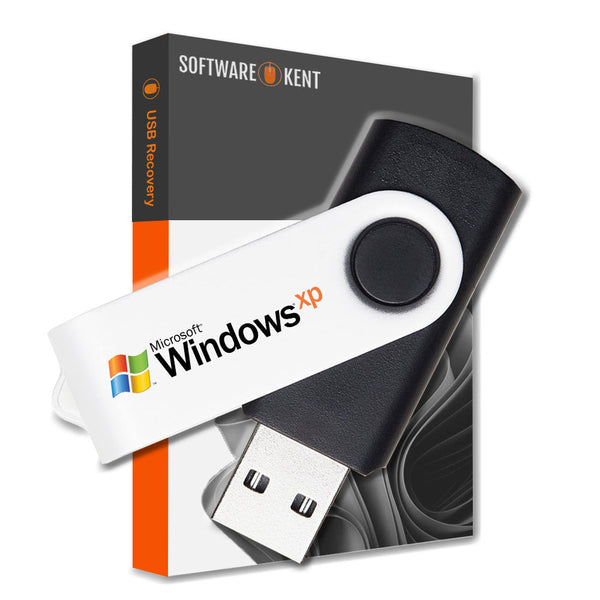
PC Laptop Reinstall Recovery USB for Windows XP Professional
Regular price
€21,95
€17,95
Availability: Available
Product Vendor: Software Kent

Product Details
Windows XP Recovery USB
MAKE YOUR COMPUTER FAST AGAIN - REINSTALL, REPAIR, RECOVERY
- USB: Windows Professional Edition- 32/64 Bit
- Manuals: Full Instructions Provided
- Reinstall, Recovery, Repair
- PC/Laptop is very slow, not loading windows or if you have a black/blue screen this is what you need.
- You can also Install Fresh Windows onto a new Hard Drive or your existing one
- Works with ASUS, ACER, DELL, TOSHIBA, SONY, HP and all others makes and models
- Your computer guaranteed to be just like new FAST & RELIABLE
- You will also receive a Discount Code for your next order.
Product Key - you can use the product key which is at the back of your PC/Laptop, usually on the green COA Sticker

What is the Windows XP Recovery USB?
The Windows XP Recovery USB is a specially designed flash drive that allows you to reinstall Windows XP Professional easily. It contains all the necessary files and tools to restore your operating system swiftly. This is especially useful for users whose original installation media is lost or damaged. Furthermore, using a recovery USB helps avoid the hassle of using CDs or DVDs, which may not be compatible with newer PC laptops.
Benefits of Using a Recovery USB
Utilizing a Recovery USB can save you a lot of time and effort. Since it’s compact and portable, you can take it anywhere you need to reinstall Windows XP. Additionally, the USB format ensures faster installation compared to traditional media, leading to a smoother experience. Therefore, if your system crashes, you can recover it quickly without extensive downtime.
How to Create Your Windows XP Recovery USB
Creating your own Windows XP Recovery USB is simpler than you might think. First, you’ll need a blank USB flash drive with at least 4GB of space. Then, use a reliable tool to copy the Windows XP installation files to the USB drive. Following this, you can create a bootable drive that your laptop recognizes, making reinstallation straightforward. Because this approach minimizes potential errors during installation, it is a favored method among tech enthusiasts.
Product Reviews
Shipping
🚀 Instant Delivery & Downloads
All eligible digital products are available & delivered instantly after successful payment.
- 📧 Instant email delivery after checkout
- ⚡ Immediate access to selected software & license keys
- 📝 Instant delivery availability is clearly stated on each product page
📦 Delivery for Physical Items (DVD / USB / SSD / HDD)
🇬🇧 UK Tracked Delivery
- ✅ FREE Delivery – 2–3 working days
- ⚡ FAST Delivery – 1–2 working days – £3.99
- 🚚 Next Working Day – £8.99 (order before 2pm, Mon–Thurs)
📌 Some software (e.g. Microsoft Windows or Office keys) is delivered instantly by email instead of post — this is always stated in the product description.
🌍 Worldwide Tracked Delivery
- ✈️ UPS Tracked Worldwide – 3–5 working days – £11.99
- 📧 Instant email delivery applies to eligible digital products worldwide
⏰ Dispatch Times
Orders placed before 2pm (Mon–Fri) are dispatched the same day.
Orders placed after 2pm are dispatched the next working day.
Weekend orders (Saturday & Sunday) are dispatched on Monday.
🚚 Next Day Delivery: Order before 2pm (Mon–Thurs).
Friday next-day orders are dispatched Friday but Saturday delivery is not guaranteed.
Orders placed after 2pm Friday are dispatched Monday for Tuesday delivery.
🌍 Worldwide Delivery: 3–5 working days (no weekends) for destinations such as USA, Canada, Australia, and more.
❓ FAQ – Delivery Issues
📭 Missed a delivery?
If no one is available, the carrier may leave your parcel in a safe place or provide instructions to rearrange delivery.
📦 Delayed delivery?
If your estimated delivery date has passed, please contact us. We will investigate with the carrier and resolve the issue promptly. Photos may be requested for damaged items.
🔑 Didn’t Receive Your Digital Key?
- 📥 Check your inbox and spam/junk folders
- ✉️ Confirm your checkout email address is correct
- 🕒 In rare cases, delivery may require manual fulfilment
If manual fulfilment is required, your license will be delivered within 2–3 working hours during our operating hours:
Monday–Sunday, 9:00–17:00 (UK time).


