
Product Details
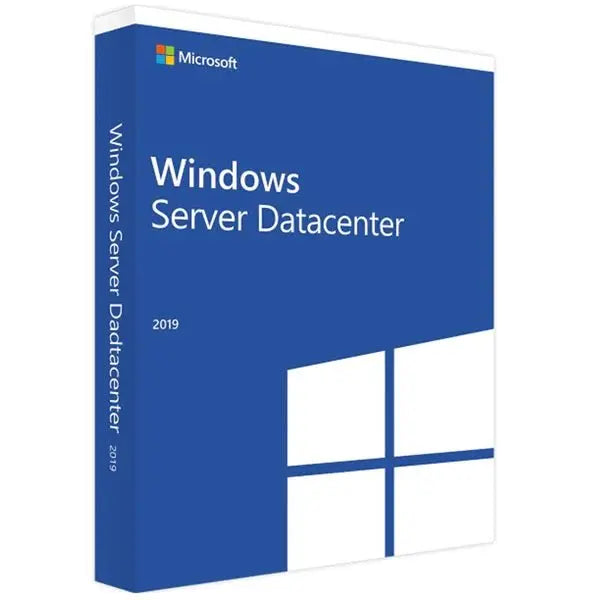
Microsoft Windows Server 2019 Datacenter Product Key Lifetime
FEATURES:
- Microsoft Windows Server 2019 Datacenter
- License Product Activation Key
- Official Download Link
- Instant Digital Email Delivery
- Lifetime Updates
- 16 Cores Core Licensing
- 1 Admin User
- 1 Server
How to install Microsoft Server 2019 Datacenter
- Download the Windows Server 2019 evaluation installer from Microsoft's official website.
- Install the evaluation version, then upgrade it to the full retail version. Once the upgrade is complete, enter the activation code you purchased from us.
- How to upgrade to retail version
- Your CD Key will be authenticated by Microsoft automatically, completing the activation process. You now have a fully licensed copy of Windows Server 2019.
The Microsoft Windows Server 2019 Datacenter, is a powerful, flexible, and secure server operating system designed to serve as the backbone of your enterprise-class IT infrastructure. With advanced support for containers, machine learning operations, and hybrid cloud environments, it's perfectly suited for businesses that demand the highest levels of flexibility, scalability, and security.
Hybrid Capabilities with Azure: Integrates with Azure services to allow businesses to maximize existing investments, creating a cohesive and versatile hybrid environment.
Advanced Multi-layer Security: Provides several layers of built-in security features such as Windows Defender Advanced Threat Protection (ATP) and Shielded Virtual Machines to help protect your network from breaches and detect suspicious activity.
Faster Innovation for Applications: Supports modernizing traditional apps and building new ones using containers and microservices, which can run with both Windows and Linux platforms.
Hyper-Converged Infrastructure (HCI): An innovative feature that simplifies scalability and reliability by integrating software-defined compute, storage, and networking into a single, streamlined stack.
Admin User: Grants an admin user full rights to control, manage, and monitor server activity, including application and service installations, network setups, user access control, and more.
Specifications
- Product Type: License
- Operating System: Microsoft Windows Server 2019 Datacenter
- License Quantity: 1 server, 1 admin user, 16 cores
- Licensing Details: 64-bit, electronic distribution
- Minimum Hard Drive Space: 32 GB
- Minimum Processor Speed: 1.4 GHz
- Minimum RAM: 2 GB
Product Reviews
Shipping
Instant Delivery (Digital Delivery) – How It Works
We deliver your digital product fast after checkout. This page explains exactly how delivery works, where to find your order, and the most important notes to ensure a smooth experience.
Delivery Summary
- Delivery type: Digital / instant delivery (no physical shipping).
- Where you receive it: Order confirmation page + email delivery.
- Typical delivery time: Immediately to a few minutes after payment approval.
- Check spam/junk: If you don’t see the email, it may be filtered.
1) What “Instant Delivery” Means
Instant delivery means your purchase is delivered electronically. You’ll receive your download link, license key, access instructions, or digital files without waiting for shipping. Nothing is posted to you.
2) Where to Find Your Digital Delivery
- Order confirmation page: After checkout, you may see delivery details immediately on-screen.
- Order confirmation email: We send an email containing delivery details (download link, key, or instructions).
- Your Shopify account (if you created one): You can view order details and any digital downloads from your account area.
3) Delivery Time & Payment Approval
Delivery is usually immediate once payment is approved. Some payment methods can take a little longer to confirm (for example, bank-based methods or additional security checks). If your delivery doesn’t appear right away, please allow a few minutes and then check the troubleshooting steps below.
Important Notes Before You Buy
- Make sure your email address is correct at checkout (this is where delivery is sent).
- Check spam/junk and Promotions tabs if your delivery email doesn’t arrive.
- One purchase = one licence/access (unless the product page states otherwise).
- Digital items aren’t shipped and don’t include a physical disc, USB, or printed documents (unless stated).
- Use the correct device/account if your product requires sign-in or platform access.
- Do not share your licence/key publicly to avoid unauthorised use.
4) Troubleshooting: I Didn’t Receive My Delivery
If you don’t see your delivery, try the steps below:
- Wait 5–10 minutes (some payments take a moment to approve).
- Search your inbox for your order number or our store name.
- Check spam/junk and any “Promotions”/“Other” folders.
- Verify your email address on the order confirmation page or receipt.
- Try another mailbox view (mobile vs desktop, or a different email client).
Still stuck? Contact us with your order number and the email address used at checkout. We’ll help you locate your delivery as quickly as possible.
5) Refunds, Returns & Digital Products
Digital products are delivered instantly and may include licence keys or downloadable files. Because of the nature of digital delivery, refunds are typically only offered in line with our store policy and where applicable. If you have an issue accessing your purchase, please contact us first — we’re happy to help troubleshoot and resolve it.
6) Contact & Support
For the fastest support, please include:
- Your order number
- The email address used at checkout
- A short description of the issue (and screenshots if relevant)
Tip: If you purchase multiple digital items, you may receive separate delivery lines/links for each product.


